
// in this post
On 17 June 2026, Anthropic shipped a sizeable update to Claude Design, its tool for turning a brief into a working interface and handing it to development. Anthropic says over a million people used it in its first week. I have a stake in this one: both this site and Co.llab were made the way the tool intends, designed in Claude Design and handed to Claude Code to execute. The two things this update fixes are the two things I'd been managing by hand.
Here is what changed, what it means if you care about your work looking like yours, and how to do it.
What actually shipped
The Claude Design update covers four things worth knowing about:
- Design system imports. You can now bring your own design system into Claude Design from a GitHub repo, a design file, or a raw upload. Claude then builds with your components and checks its output against the system rather than inventing its own buttons and spacing. For teams, a new admin role can approve a standard system and lock it so nobody drifts off it.
- A real design-to-code handoff. A
/design-synccommand pulls your design system into Claude Code, and a/designcommand lets you create, edit and sync projects from the terminal. Work stays in sync between the design surface and the build, rather than being copied across and slowly going stale. - Editor control. Finer control over individual elements, proper layout tools for dragging, resizing and aligning, and what Anthropic describes as hundreds of stability fixes for production use.
- Lower token usage. Claude Design now shares usage limits with chat, Claude Cowork and Claude Code, so there's more headroom, and Anthropic says it uses fewer tokens per turn for the same result, with sharply lower error rates.
It exports to the usual suspects too, including Canva, Adobe, Vercel, Replit and Wix. You'll find it at claude.ai/design or in the sidebar of the Claude desktop app, on the Pro, Max, Team and Enterprise plans. On Enterprise it's off by default, so an admin has to switch it on.
That's the news. Here's why it landed for me.
The bit I care about: brand consistency
When you build with AI, the first version is exciting and the tenth screen is where it falls apart. Each new one is subtly off. The heading is a shade too big, the card has a different shadow, the button rounds its corners just a little more than the last one. None of it is wrong on its own. All of it together stops looking like one thing.
That drift is the real cost of building fast, and it's invisible until you put two screens side by side. Importing a design system and having Claude validate against it is the direct fix. You stop relying on the model to remember what your brand looks like from one prompt to the next, because the brand is now a thing it has to check itself against.
Here's the paul_bot assistant on this site and an interactive module from Co.llab. Different products, different jobs, but the same accent colours, the same type, the same spacing logic. That consistency is the thing the design system import is built to protect, and it's exactly what gets away from you when you're moving quickly without one.
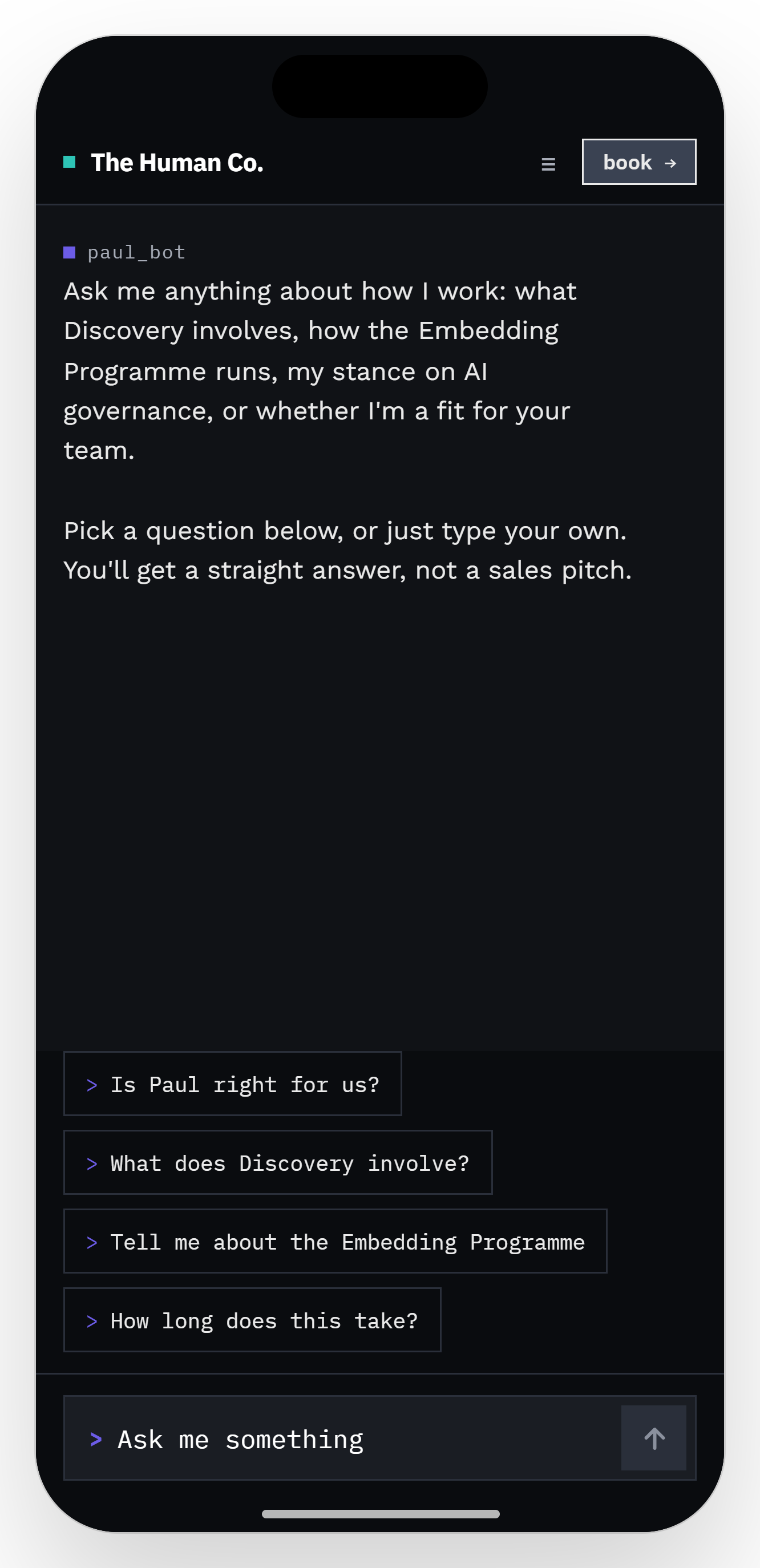 paul_bot on thehumanco.org. Designed in Claude Design, executed in Claude Code.
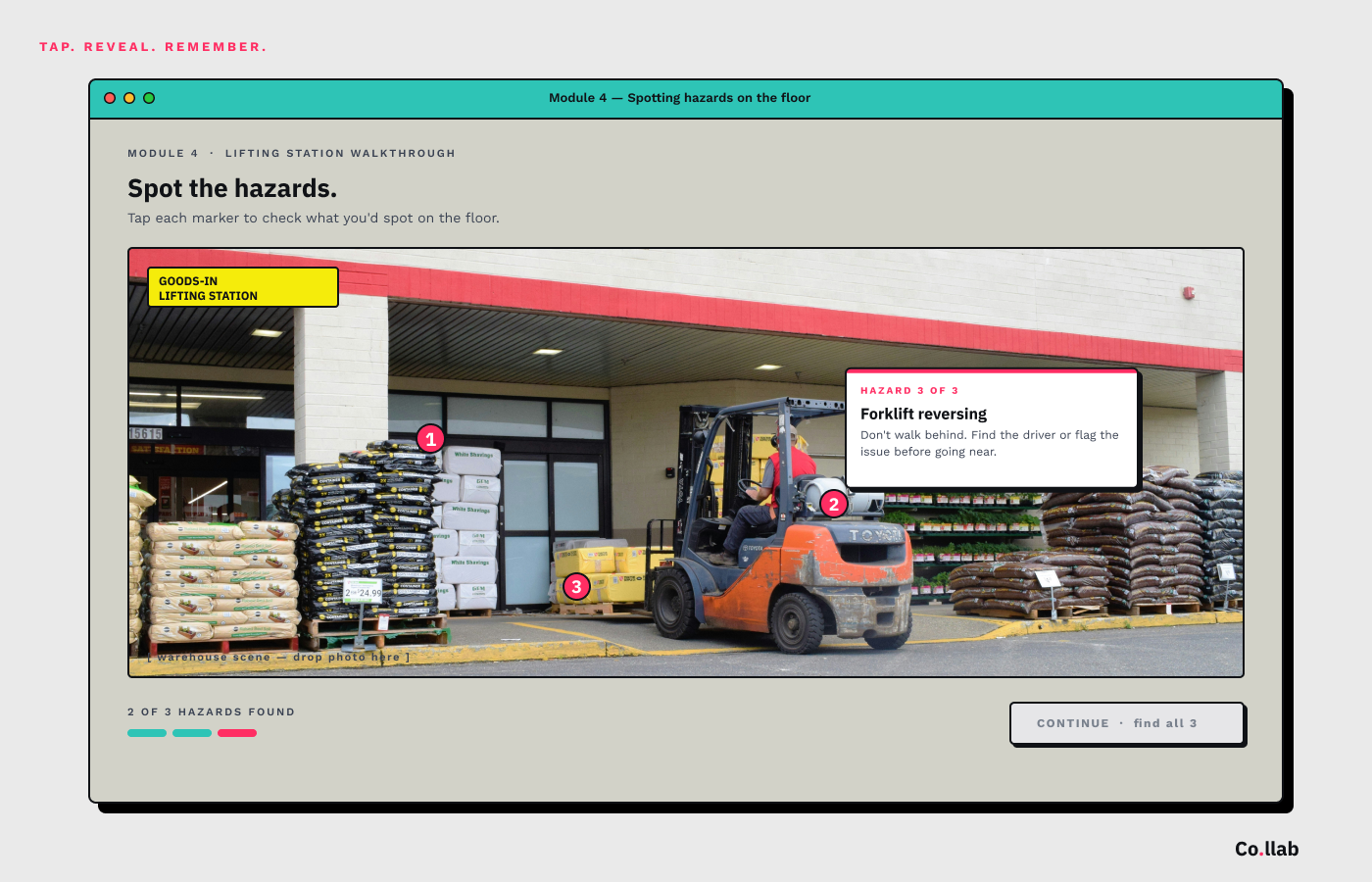 A "spot the hazards" module from Co.llab. Same workflow, same brand discipline, different product.
The handover
The other place brand dies is the handoff. The design looks right, then it gets rebuilt in code and arrives slightly different, and the difference is permanent because nobody goes back to reconcile it.
This is the part I know well, because it's how both sites were made: the design done in Claude Design, then handed to Claude Code to build. Until now that handover was a one-way throw. You designed something, described it to the build, and hoped the two stayed close. The /design-sync command and the round-trip between Design and Code are aimed squarely at that seam. The design and the build reference the same system, so the handover stops being a translation and starts being a sync. If you already work this way, that is the upgrade that matters most.
Token usage, the quiet upgrade
Token usage sounds like a billing detail until it's the thing standing between you and finishing. Lower consumption per turn and a shared pool across chat, Cowork, Design and Code means you get more done before you hit a limit, which matters most on exactly the long, iterative building sessions where you'd otherwise run dry halfway through.
There's something you can do to help it along, and it's the same move that makes the output better. The model spends tokens re-establishing context every time it has to guess at your brand. Import and lock your design system and it stops guessing, which means fewer tokens spent re-deriving what your buttons look like and more spent on the actual work. Specific instructions do more per turn than vague ones. The clearer you are about what you want, the less the tool burns finding out.
How to get started
If you want to try it on something real:
- Turn it on. Go to claude.ai/design or open the Claude desktop app and find Design in the sidebar. On Enterprise, ask an admin to enable it first.
- Bring your brand in. Import your design system from a GitHub repo, a design file, or an upload. If you don't have one yet, ask Claude for three design directions and refine the one you like until it's yours.
- Lock it if you're a team. Have an admin approve the system so everyone builds from the same one.
- Sync it to the build. Run
/design-syncto pull the system into Claude Code, then/designfrom the terminal to create and edit while staying in sync.
Start with one page or one component, not the whole site. Building faster was never the hard part. Keeping it all looking like one thing was, and that's what this update is actually for.
Sources
- Claude Design stays on brand for daily work, Anthropic, 17 June 2026. All features, figures and quotations in this piece are from this post.
- Further coverage: VentureBeat and Fast Company.