
// in this post
- The Twenty-Pixel Shift: Why Prompting Can't Fix Bad Photos
- The Safety Catch: Treating Numbers as Evidence, Not Answers
- The Three-Hour Lie: Why Silent Writes Are Dangerous
- The Ghost in the Error Log
- When Real Life Hits the Prototype
- Under the Bonnet: Three Rules for Building What Lasts
- FAQ
My wife works in retail and her shifts change every month. Lates one week, an early two days later, a Sunday shift buried in the middle of a run of days off. The rota is sent to her every month in a WhatsApp group. What lands on her phone is a photo of an Excel spreadsheet, thirty five days stretched across a screen in tiny coloured cells, glare and all, and she is meant to read her own working life out of it.
Like anyone else, she just doesn't want to be late for a shift, and she would like to be able to plan more than a few days ahead. Ideally she'd receive her rota in a scheduling tool or, at the very least, in its original Excel spreadsheet format. That doesn't happen so in August I suggested I try and build her something myself.
I wanted to try it as a one shot prompt on Fable 5: one long, detailed instruction rather than the usual back and forth. I hadn't tried that approach myself before, though I'd watched other people do it, mostly to build games in a single pass, and while fun to watch, these demos almost always produce a bit of a nothing burger. I wanted to build something that both worked and was useful.
So one Saturday morning I dropped my wife off for her shift and gave myself until she returned home that evening. I described what features I wanted, the problem I was trying to solve, taking a low quality image and transcribing it into a working app my wife could store on her phone, and some security and privacy criteria so she could use it safely.
I had a working prototype in under an hour. Then the tricky part began: teaching an AI to read a really crappy, difficult to read photograph, and making sure it never quietly got the wrong answer.
Reading thirty five tiny cells off a wonky phone photo is exactly the situation in which AI will confidently get one of them wrong. The consequence of that is not an inconvenience. My wife misses a shift.
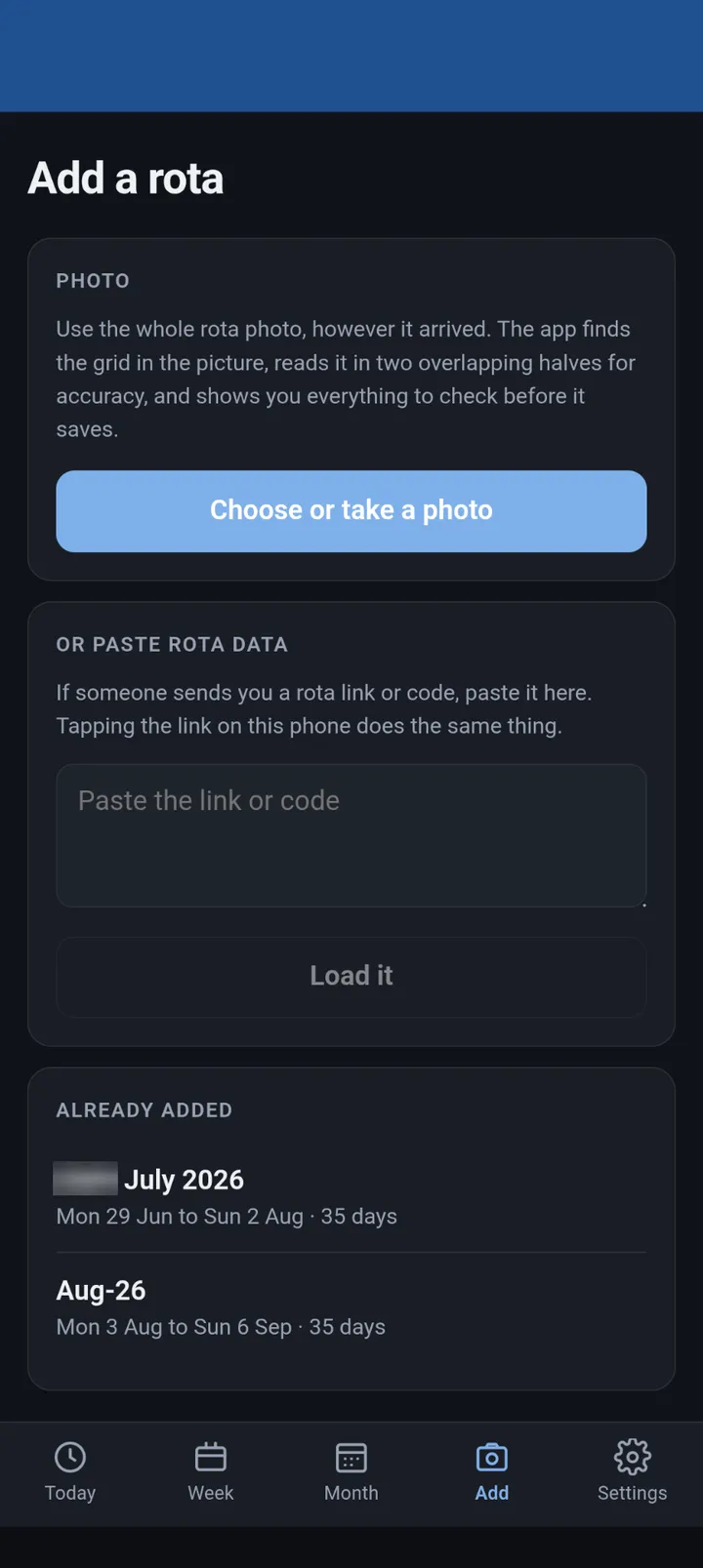
Where a month starts. The whole photo goes in, however it arrived. 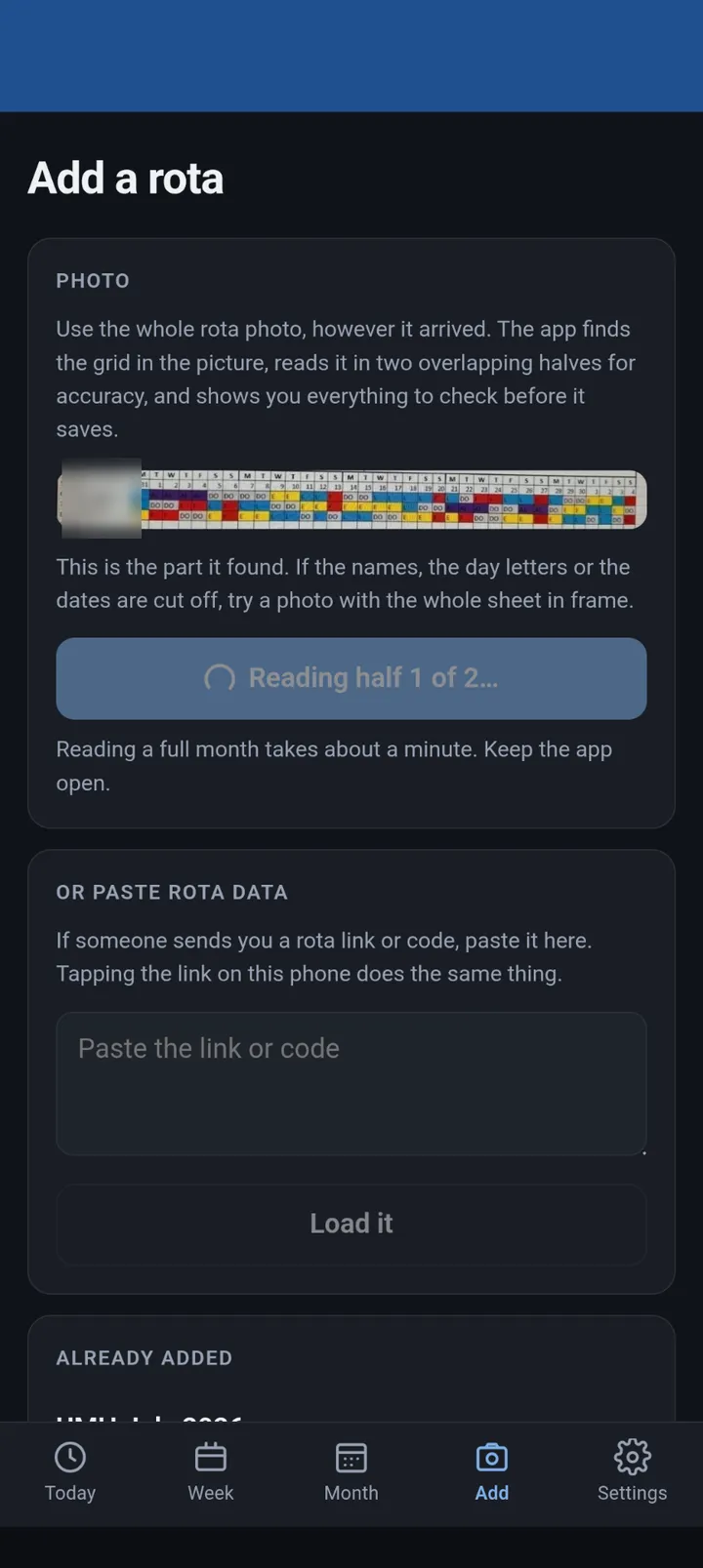
The app finds the grid, then reads it in two overlapping halves. Splitting it is what took the error rate under two in a hundred. 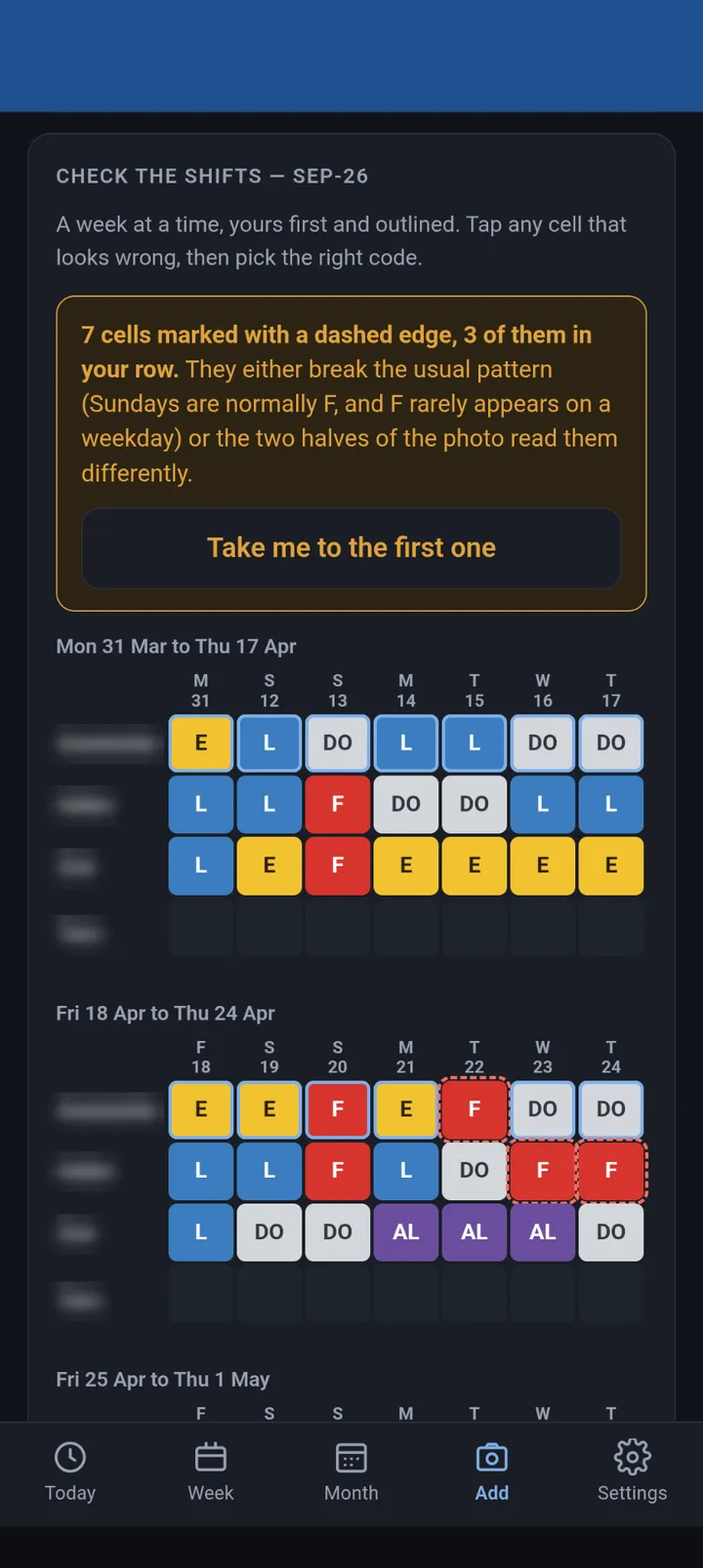
Nothing saves until she has checked it. Cells that break the usual pattern, or that the two halves read differently, get a dashed outline. Colleagues' names are blurred throughout. 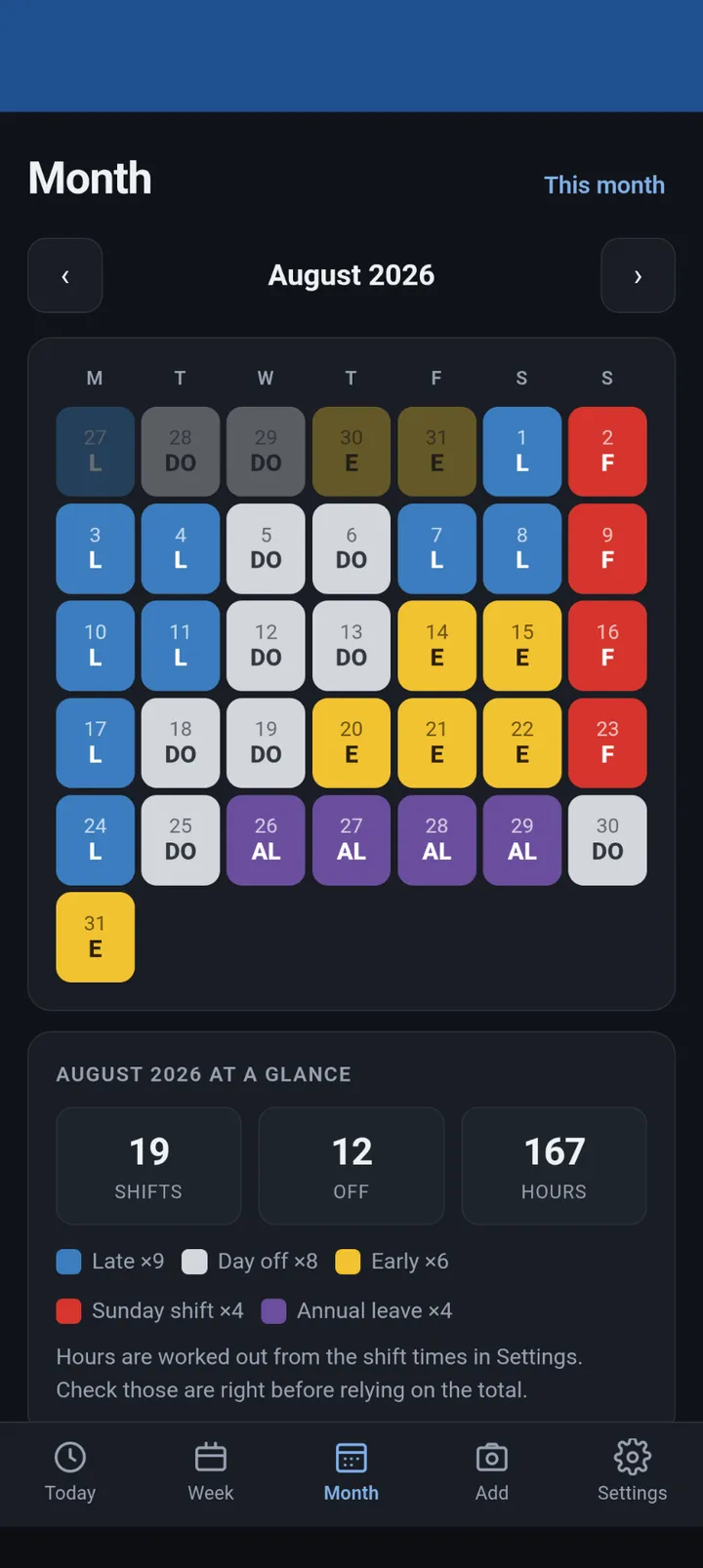
The month, colour matched to the paper original, with shift and hours totals. 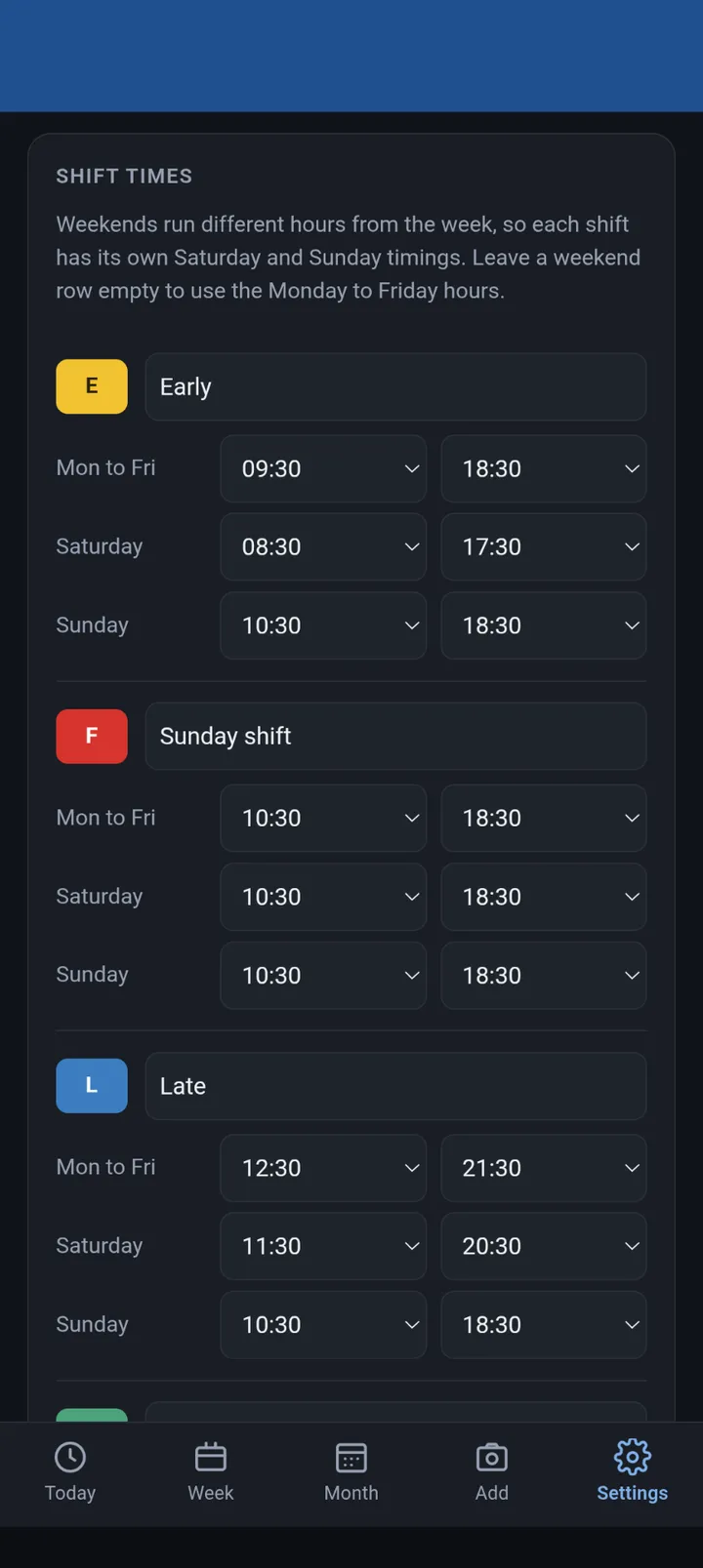
Shift times are set once. Weekends run different hours, so every code carries its own Saturday and Sunday timings. 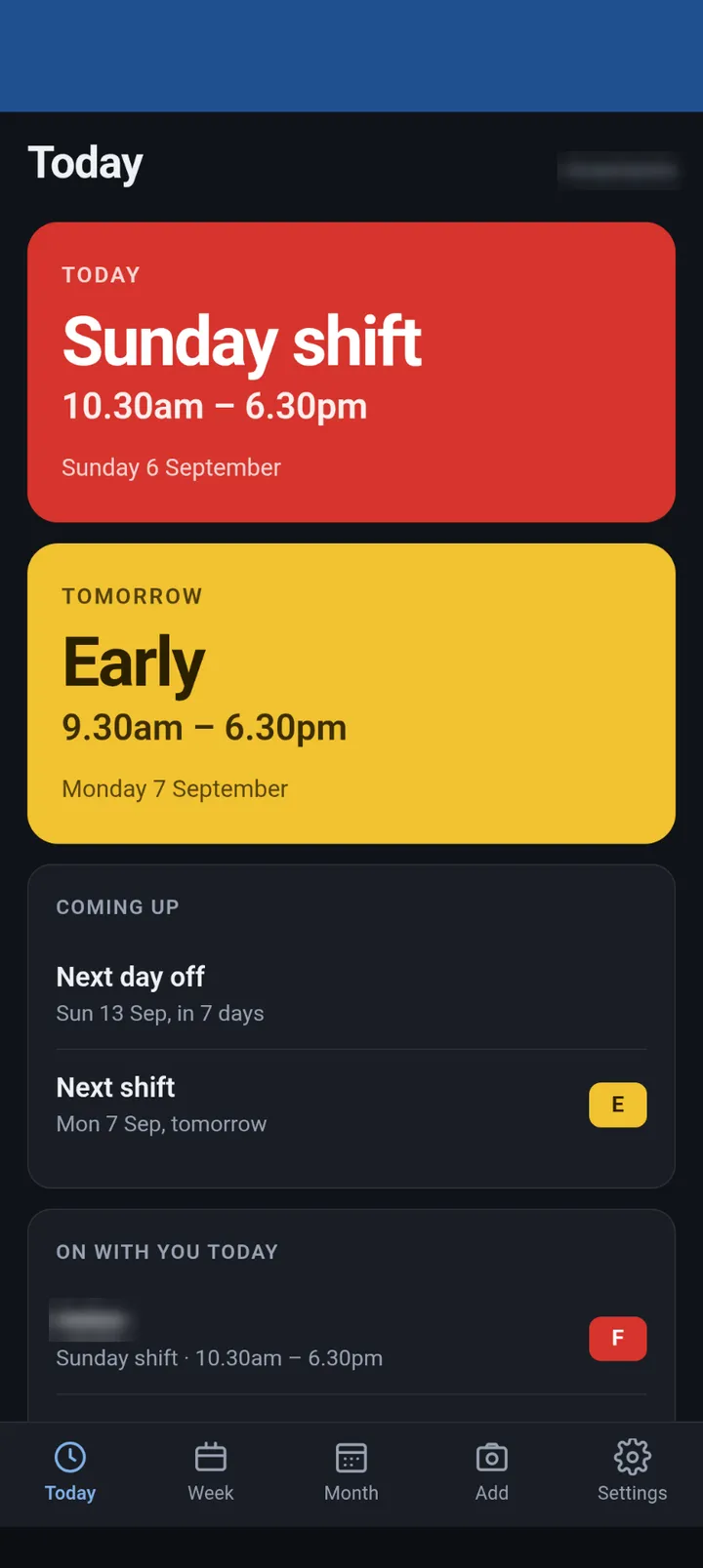
The question she actually asks: am I working today, what time, and who is on with me.
The Twenty-Pixel Shift: Why Prompting Can't Fix Bad Photos
The photo has already lost quality twice over before the app ever sees it. It starts as a JPEG, like almost every casual phone photo, which throws away some detail to shrink the file size, and then WhatsApp compresses it again on the way through, the same as it does with every photo sent that way. Most people never notice, because a compressed photo of a face or a view still looks fine to the eye. A compressed photo of thirty five tiny printed letters is a different matter.
Reading the whole sheet in a single pass, somewhere between seven and ten cells in every hundred came back wrong. Asking the model to read the entire sheet in one go made an already degraded photo worse again, because the model has to shrink a large image further just to process it, and every cell shrinks along with it. A single cell works out to about twenty pixels across by the time a model sees it, nowhere near enough to be sure an E isn't an L, and no amount of asking the model to try harder changes that. I tried. It was slower and no more accurate.
What actually fixed it was cropping the same photo into two overlapping halves, reading each on its own, and checking where the two disagreed. Splitting it meant the model no longer had to shrink each half nearly as much, so more of whatever detail survived the journey through WhatsApp was still there when it counted. More pixels, not more effort, took the error rate under two in a hundred.
The Safety Catch: Treating Numbers as Evidence, Not Answers
Better reading was not enough on its own, because two in a hundred is still a wrong shift every couple of months.
So the app does not trust the reading. Underneath the model there is a layer of plain code that checks the things a computer can be certain about: the day numbers have to run in sequence, every printed day letter has to match what that date really is on the calendar, every row has to have exactly one cell per column, and the codes have to be ones it recognises. Cells that break the usual pattern get outlined for a second look. Then all of it goes on screen, and nothing saves until she has looked at it and tapped save herself.
The strongest version of this came from my wife rather than me. The rota always runs in whole Monday to Sunday weeks, which means the entire row of dates follows from a single fact: which Monday the sheet starts on. Thirty five numbers read off a photograph are thirty five separate chances to get one wrong. So the app stopped reading them as answers and started treating them as evidence. It tries every Monday around now, keeps the one those numbers best support, and then works the dates out itself.
It will recover the correct dates from three misread numbers, from a whole unreadable week, or from only half the sheet arriving. And when nothing fits, it says so rather than guessing.
There is still one gap I can't close. An E misread as an L on a Tuesday breaks no rule at all, so no check will ever catch it. That is exactly why the review screen is not optional.
The Three-Hour Lie: Why Silent Writes Are Dangerous
The sheet is colour coded as well as lettered, and the colour is the stronger signal, readable from a scattering of pixels even when the letter isn't. So the app checks the colour against the letter, and for one version of it, I let the colour win outright whenever the two disagreed.
Run against a real month, it took a shift that had been read correctly and quietly changed it. An actual late turned into an early, three hours' difference in when she was meant to start, decided in code with nothing on screen to show it had happened.
It never reached her. I caught it testing against a real photo before she ever opened that version, which is the only reason it is a story about a near miss rather than a missed shift.
I hold every client build to the same standard: nothing an AI produces reaches someone's actual day unless a person has confirmed it first. I had always assumed that lesson came from budgets and audits. It turned out to be just as true over a photo of a simple rota. The check now flags a disagreement for her to look at rather than settling it by itself.
The Ghost in the Error Log
The first time she used it for real, she sent me a screenshot of this:
Unexpected token 'A', "An error o"... is not valid JSON
This was caused by a sixty second time limit I had unknowingly set early on, when I was still on the free hosting tier, and never revisited after moving to a paid one. Reads take between twenty and seventy seconds, so it was always going to fail eventually.
Four separate faults sat behind that one message. The limit itself. The app trying to read a plain text error page as if it were data, which is where the gibberish came from. A half that had read perfectly being thrown away because the other half timed out. And a fourth I only found while fixing the first three, which silently wiped every shift on the way to the review screen.
If you take one thing from this, take that. The error a user reports is rarely a description of what actually went wrong.
When Real Life Hits the Prototype
None of that would have turned up from me testing it alone, because I already know when I am on shift. It needed her using it, on her phone, on a real month.
Three days after I built it she was asked to come in on a day off and take a different day back in exchange, and the app had no way to express that. Changing a single day by hand is now in there because she asked for it, not because I guessed she might want it. It is a small feature with a trap underneath: importing a new photo overwrites every date it covers, so her change had to survive the next import or it would have quietly put her back on a day she had swapped out of.
A month on, she still uses it daily, and she is the one asking for what comes next.
I still don't know if her manager will ever just send the file properly. Until then, apparently, this is what I do instead.
Under the Bonnet: Three Rules for Building What Lasts
I built it in Claude Code, running on Claude's Fable 5, on a Claude Max subscription. Reading the photo itself is a separate job, handed to Claude Opus 5's vision.
The rest of the stack was kept deliberately small: Next.js, Vercel to host it, four runtime dependencies in total, no database since the rota lives in the phone's own storage, no component library, and no test framework beyond one hand written file with about a hundred and fifty assertions that runs in roughly a second. Eight hours (give or take), fifteen commits, around eight thousand lines of code.
Three things did more for the result than anything else.
Send the model less at once. Cropping the same photo in half beat every change I made to the prompt or the model settings, by a wide margin.
Work out what you can, read only what you must. The dates on the rota now come from calendar arithmetic rather than from the numbers in the photograph, and that removed a whole category of error in an afternoon.
Never let a model's output write silently. Show it, flag what is doubtful, and make saving a human action. The one time I relaxed that, it produced a confident wrong answer inside a day.
What it actually does, for anyone weighing up whether this is worth building for their own situation:
- Reads a photo of the rota, however it arrived, and shows every shift for checking before anything saves
- A Today view: what she's on now, what's next, her next day off, who else is working with her
- A Week view with times and who she's on with each day
- A Month view, colour matched to the paper original, with shift and hours totals
- Notes on any day, for the things you would otherwise write on the printout in pen
- Change a single day by hand, for swaps and last minute changes
- A calendar file that adds every shift to her phone's own calendar, with a reminder the evening before
- Works with no signal, since the rota lives on the phone rather than a server
- A PIN lock, since the whole thing sits on a public web address
None of it needed a team or a budget. It needed watching what went wrong once someone real was relying on it, and being willing to keep fixing it after the interesting part was over.
FAQ
Can AI reliably read a photo of a rota or work schedule?
Not from a single pass over the whole image. A phone photo has usually already been compressed twice, once as a JPEG and again by whatever app sent it, so a printed letter can be down to a handful of pixels by the time a model sees it. Reading a real monthly rota in one attempt got seven to ten cells in every hundred wrong. Cropping the same photo into two overlapping halves and reading each separately took that under two in a hundred, using the exact same source image.
Why does compressing or shrinking a photo make it harder for AI to read?
Because a model has to fit the whole image into a fixed processing size, so a large photo gets shrunk further just to be read at all, on top of whatever compression WhatsApp or the phone's camera app already applied. Every printed character shrinks along with it. Splitting a large photo into smaller crops and reading each one separately means less shrinking happens per crop, which is why it reads more accurately even though nothing about the original photo's quality has changed.
How do you check whether AI has got something right?
Wherever possible, check the output against something you can verify independently rather than trusting the model's own confidence. On this build, the dates on the rota were not taken from the numbers the model read at all. They were worked out from which Monday the sheet had to open on, using the real calendar, and the model's reading was only ever evidence for that answer rather than the answer itself.
Should an automatic check ever be allowed to overwrite AI output on its own?
Only once you are confident it can never be wrong, which is rarer than it sounds. A colour based cross check on this rota was briefly allowed to overrule a misread letter automatically, and on a real month it took a shift that had actually been read correctly and quietly changed it, three hours' difference in start time, with nothing on screen to show it had happened. It was caught in testing before it ever reached a real user, and now flags a disagreement for a person to look at rather than settling it alone.
Do you need to be a developer to build something like this?
The harder part was knowing exactly what she needed answered: am I working today, who is on with me, when is my next day off, not a general purpose scheduling tool. That understanding of the actual problem matters more than the code, and most people already have it for whatever is annoying them. The technical side, actually building it, is far more learnable now with tools like Claude Code than it was even a couple of years ago.